
High-frequency sensor streams and dynamic entity records provide real-time visibility into physical operations. However, monitoring dashboards continuously for operational anomalies introduces visual fatigue and delayed response times. When cargo temperatures in cold-chain fleet vehicles drift above safety thresholds, the platform must evaluate incoming metrics and notify operators automatically.
Omnismith provides an integrated automation subsystem that evaluates state changes directly against incoming attribute updates. By defining trigger events, boolean conditions, and notification actions through the API or administrative dashboard interface, technical teams can attach automated workflows to dynamic entity schemas.
Configuring Notification Channels
Before an automation can dispatch external alerts, a target notification channel must be registered in the project context. The notification channel layer isolates third-party credential management from individual workflow definitions.
Omnismith supports Telegram, custom HTTP webhooks, and device push notifications. To configure a Telegram bot channel, an operator submits a creation payload containing the bot token credential to the /v1/automation/notification-channels endpoint:
POST /v1/automation/notification-channels HTTP/1.1
Host: api.omnismith.io
Content-Type: application/json
Authorization: Bearer <token>

{
  "type": "telegram",
  "name": "Fleet Dispatch Alerts",
  "credentials": {
    "bot_token": "1234567890:AAF1a2B3c4D5e6F7g8H9i0J1k2L3m4N5o6P"
  }
}
The server returns a channel record containing an immutable UUID identifier (019fb9ad-c8ae-7026-bc2d-6cffe1d73e27).
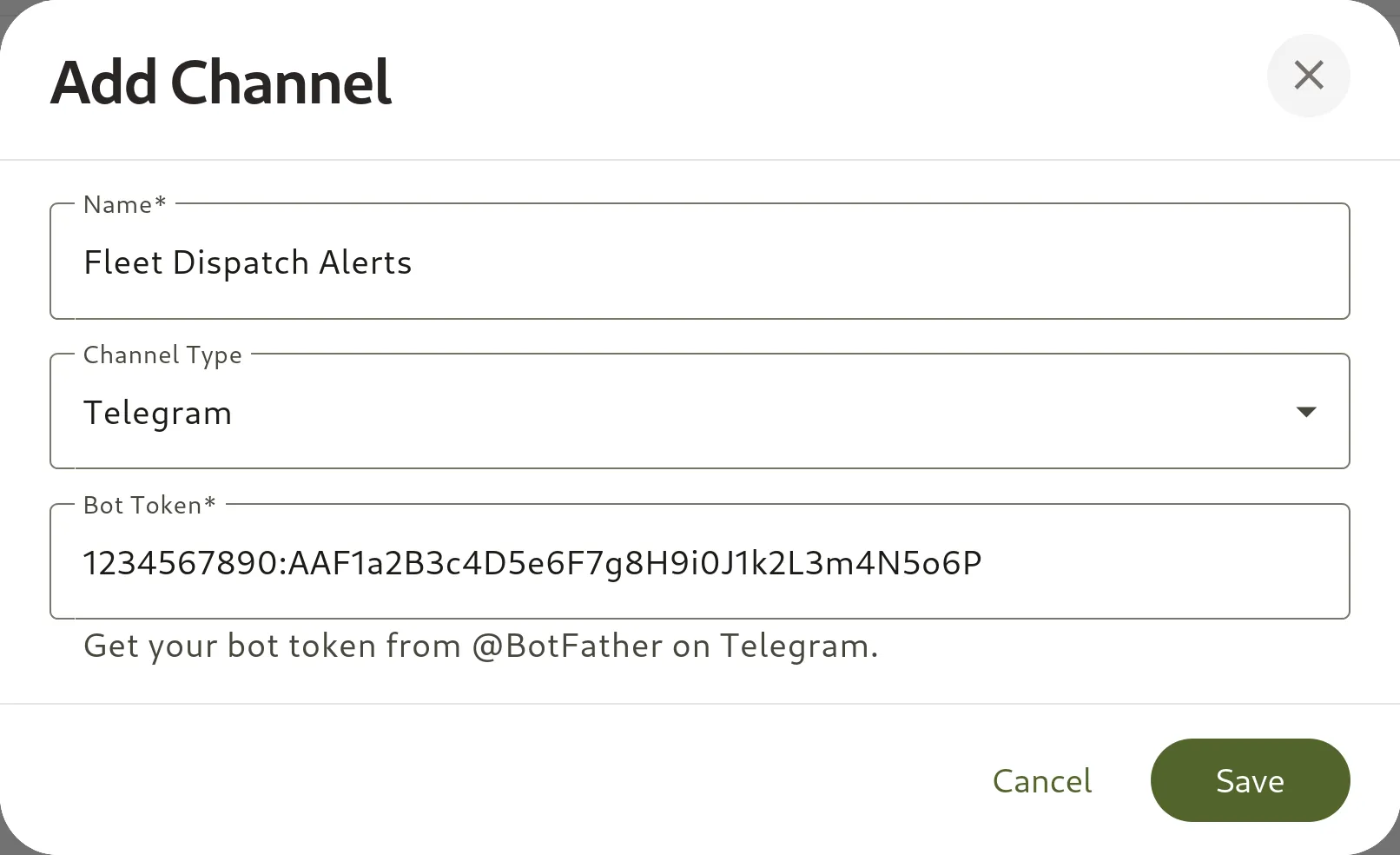
Alternatively, operators can register and review notification channels directly via the Omnismith dashboard interface:
Verifying Channel Connectivity
To ensure credentials and third-party routing are functional prior to linking active workflows, the API exposes a test endpoint:
POST /v1/automation/notification-channels/019fb9ad-c8ae-7026-bc2d-6cffe1d73e27/test HTTP/1.1
Host: api.omnismith.io
Content-Type: application/json
Authorization: Bearer <token>

{
  "chat_id": "1234567890",
  "message": "Hello from omnismith.io!"
}
A status response of 200 OK verifies that the channel can transmit messages to the designated chat ID.
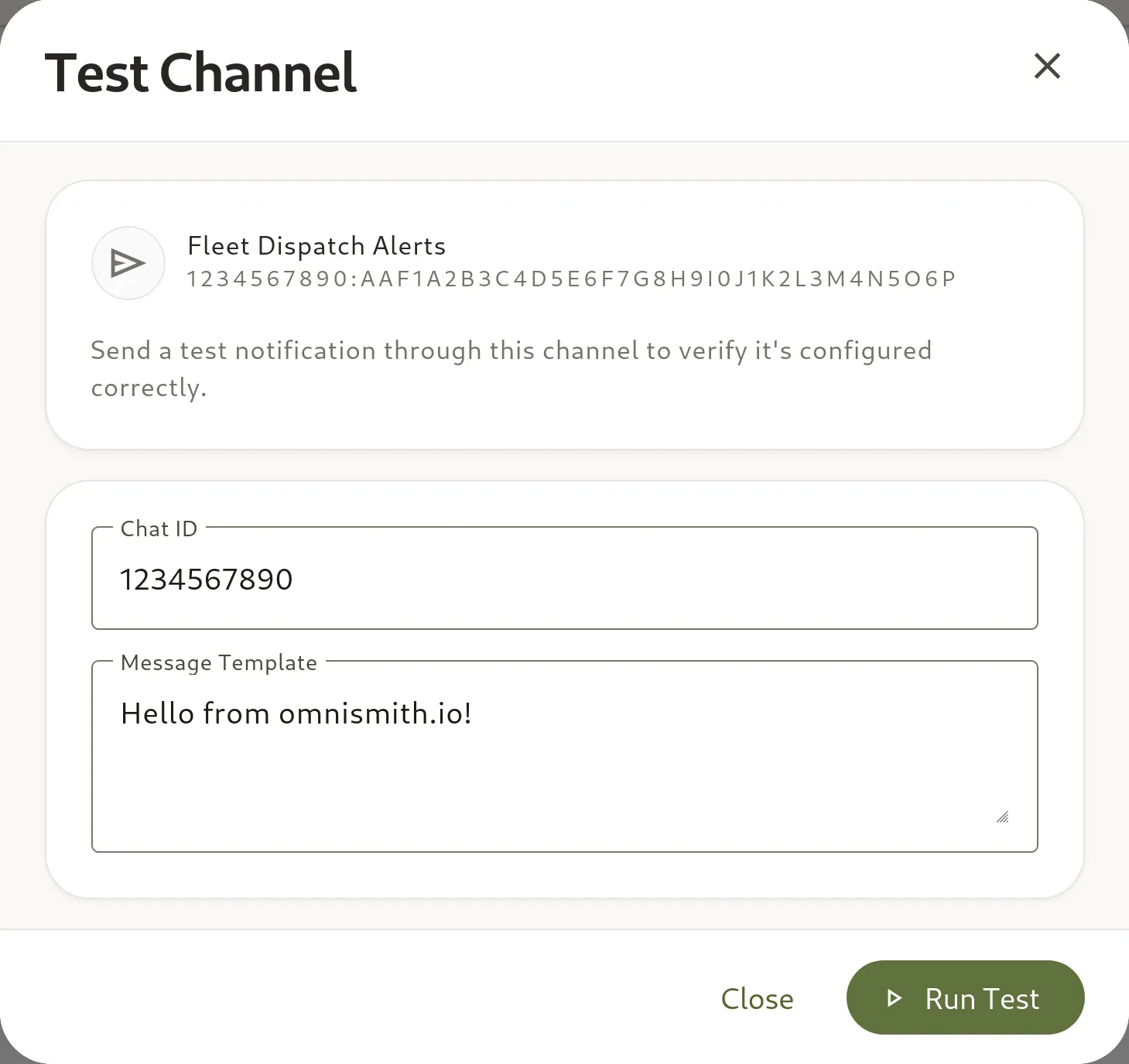
The platform UI provides a corresponding testing dialog to validate connectivity before deploying production automations:
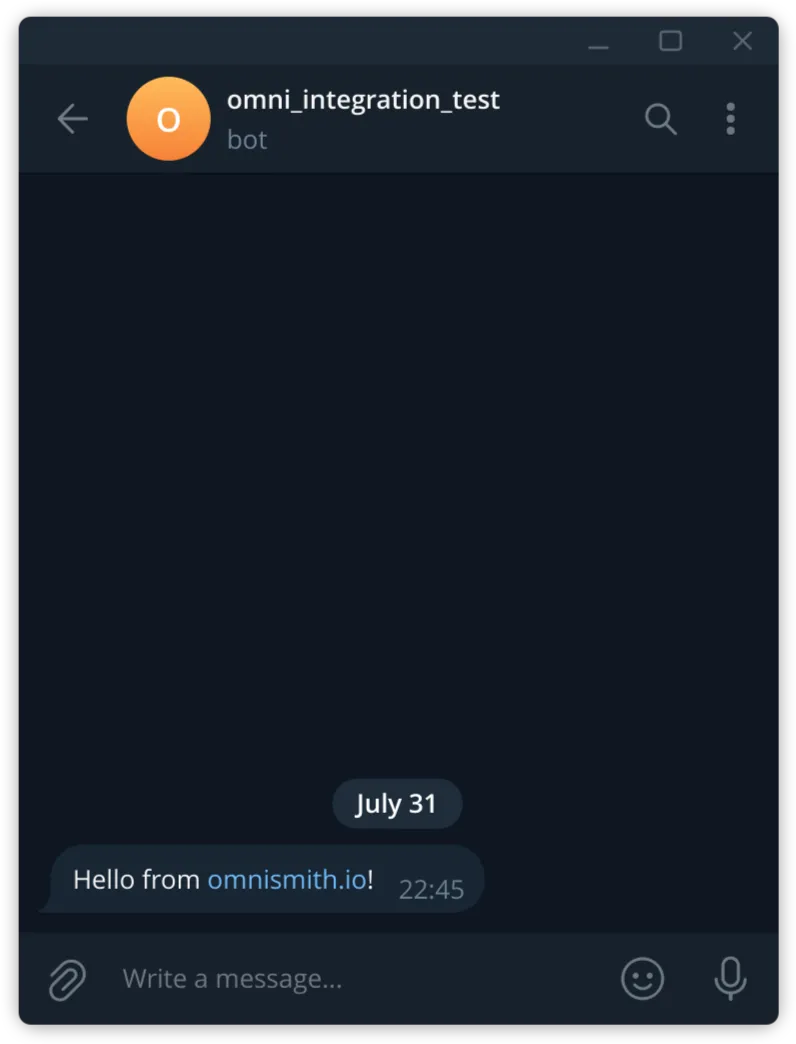
Upon test dispatch, the bot delivers the verification payload directly to the specified Telegram chat:
Defining Event-Driven Automations
Automations operate on a declarative model comprising three structural components:
- Triggers: State changes that initiate evaluation. Supported trigger types include
on_entity_created,on_entity_updated, andon_attribute_changed. - Conditions: Boolean logic rules evaluated against entity attribute values. Operators include
eq,neq,gt,lt,like,not-like,empty, andnot-empty. - Actions: Targeted dispatches executed when all conditions evaluate to true.
Managing Execution Frequency with Cooldowns
High-frequency metric ingestion can stream telemetry updates multiple times per minute. If a refrigeration unit fails and continuously transmits values above the permitted threshold, evaluating the trigger on every incoming packet without restraint would flood external channels with duplicate alerts.
Automations incorporate a cooldownSeconds field. When set, the system throttles downstream action execution for the specified duration following a successful trigger event, preventing duplicate notifications while retaining continuous state evaluation.
Deploying a Temperature Excursion Automation
In the cold-chain fleet management model established in this series, the Vehicle template contains a Temperature metric attribute (019f51bf-3604-710b-9356-28f724f05f24). Standard operations mandate that cold-storage compartments remain at or below -15.0°C.
To configure an automatic Telegram alert for temperature excursions exceeding -15.0°C, the creation payload maps the vehicle template ID, attribute ID, threshold operator, and notification channel config:
POST /v1/automation/automations HTTP/1.1
Host: api.omnismith.io
Content-Type: application/json
Authorization: Bearer <token>

{
  "name": "Cold-Chain Temperature Excursion Alert",
  "description": "Dispatches Telegram alerts when cargo temperature exceeds -15°C",
  "trigger": {
    "type": "on_attribute_changed",
    "templateId": "019f51bf-366c-72b9-94e1-0435af01e34a",
    "attributeId": "019f51bf-3604-710b-9356-28f724f05f24"
  },
  "conditions": [
    {
      "attributeId": "019f51bf-3604-710b-9356-28f724f05f24",
      "operator": "gt",
      "value": "-15",
      "mode": "current"
    }
  ],
  "actions": [
    {
      "type": "telegram",
      "config": {
        "channel_id": "019fb9ad-c8ae-7026-bc2d-6cffe1d73e27",
        "chat_id": "1234567890",
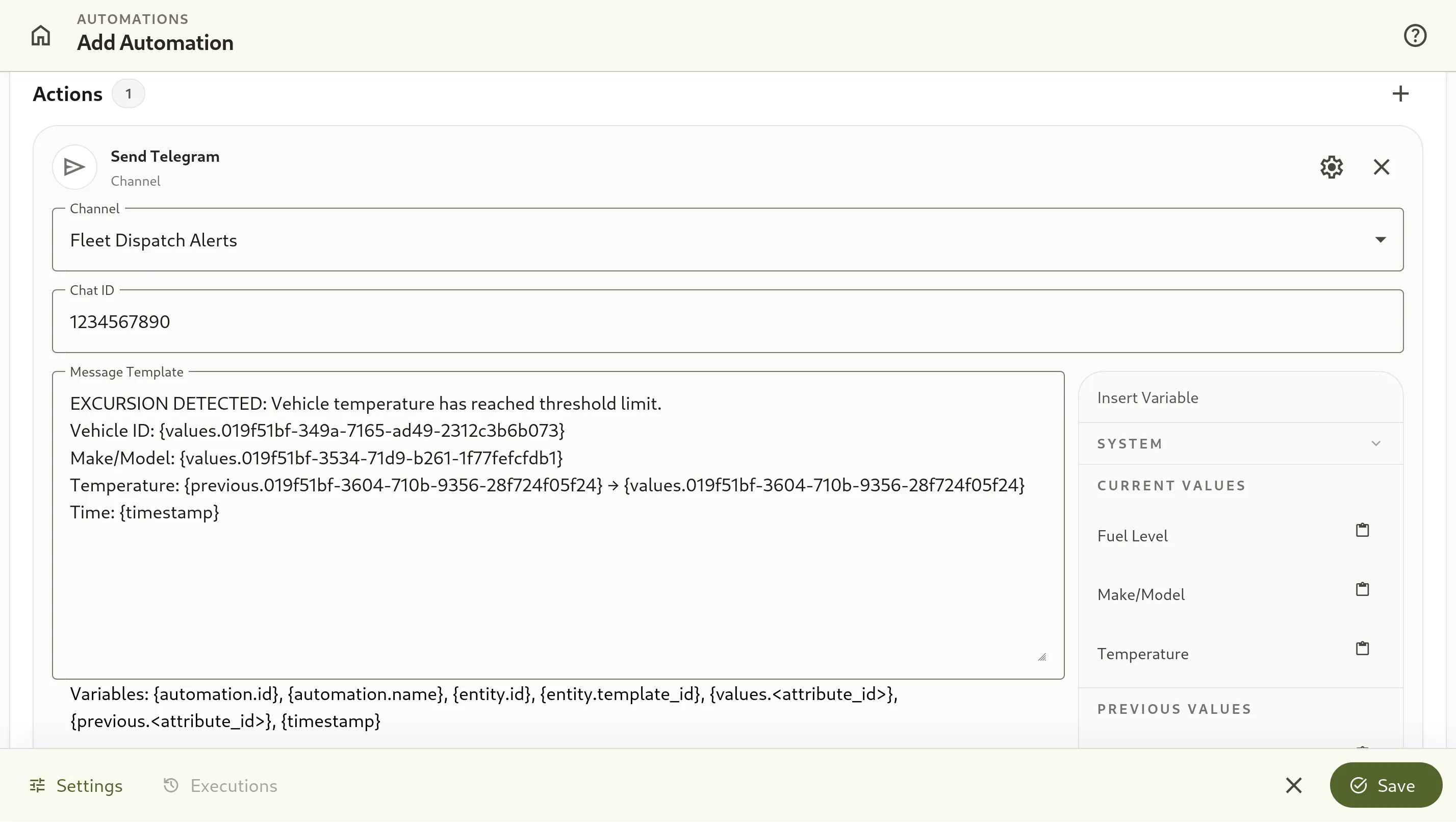
        "message_template": "EXCURSION DETECTED: Vehicle temperature has reached threshold limit.\nVehicle ID: {values.019f51bf-349a-7165-ad49-2312c3b6b073}\nMake/Model: {values.019f51bf-3534-71d9-b261-1f77fefcfdb1}\nTemperature: {previous.019f51bf-3604-710b-9356-28f724f05f24} → {values.019f51bf-3604-710b-9356-28f724f05f24}\nTime: {timestamp}"
      }
    }
  ],
  "cooldownSeconds": 300
}
Upon creation, the automation status defaults to active ("isEnabled": true).
Dynamic Message Template Interpolation
The message_template configuration leverages dynamic token syntax to build contextual alert payloads:
{values.<attribute_id>}interpolates the current value of any structural dimension or telemetry metric on the triggered entity.{previous.<attribute_id>}resolves the preceding value prior to the update, displaying the exact directional delta (e.g.,-18.5°C → -14.2°C).{timestamp}injects the ISO-8601 execution timestamp.
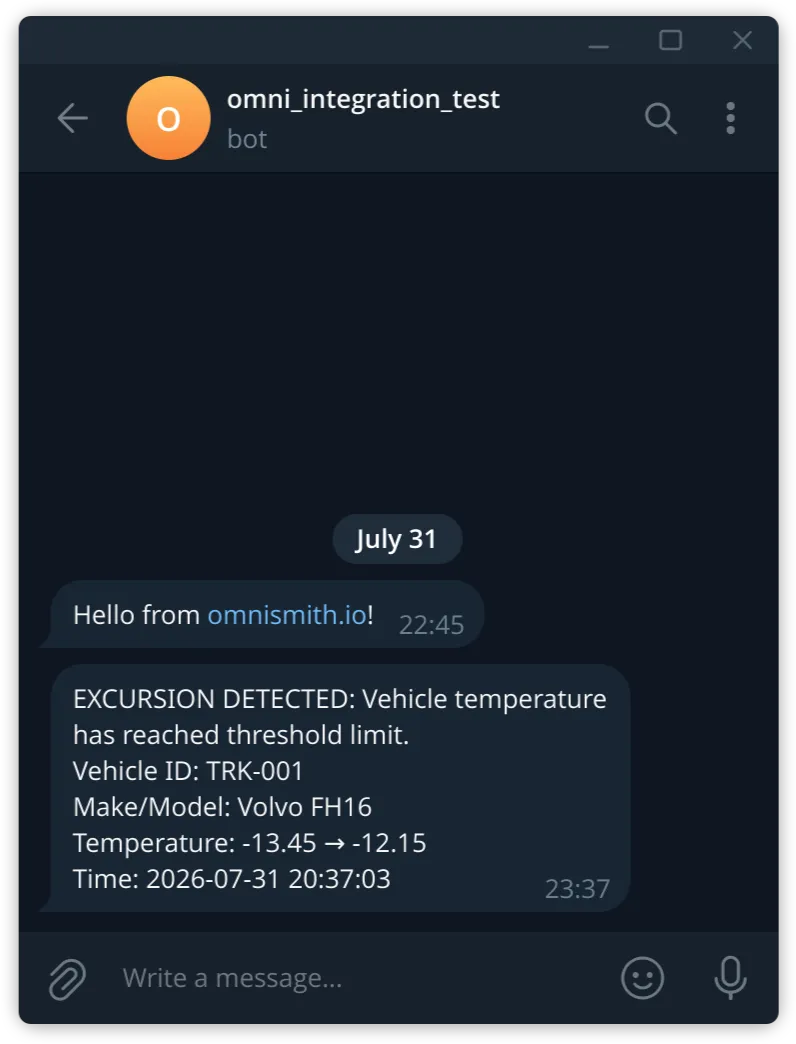
When an attribute update triggers the evaluation engine, these tokens are resolved synchronously against the entity record before dispatching the payload to Telegram.
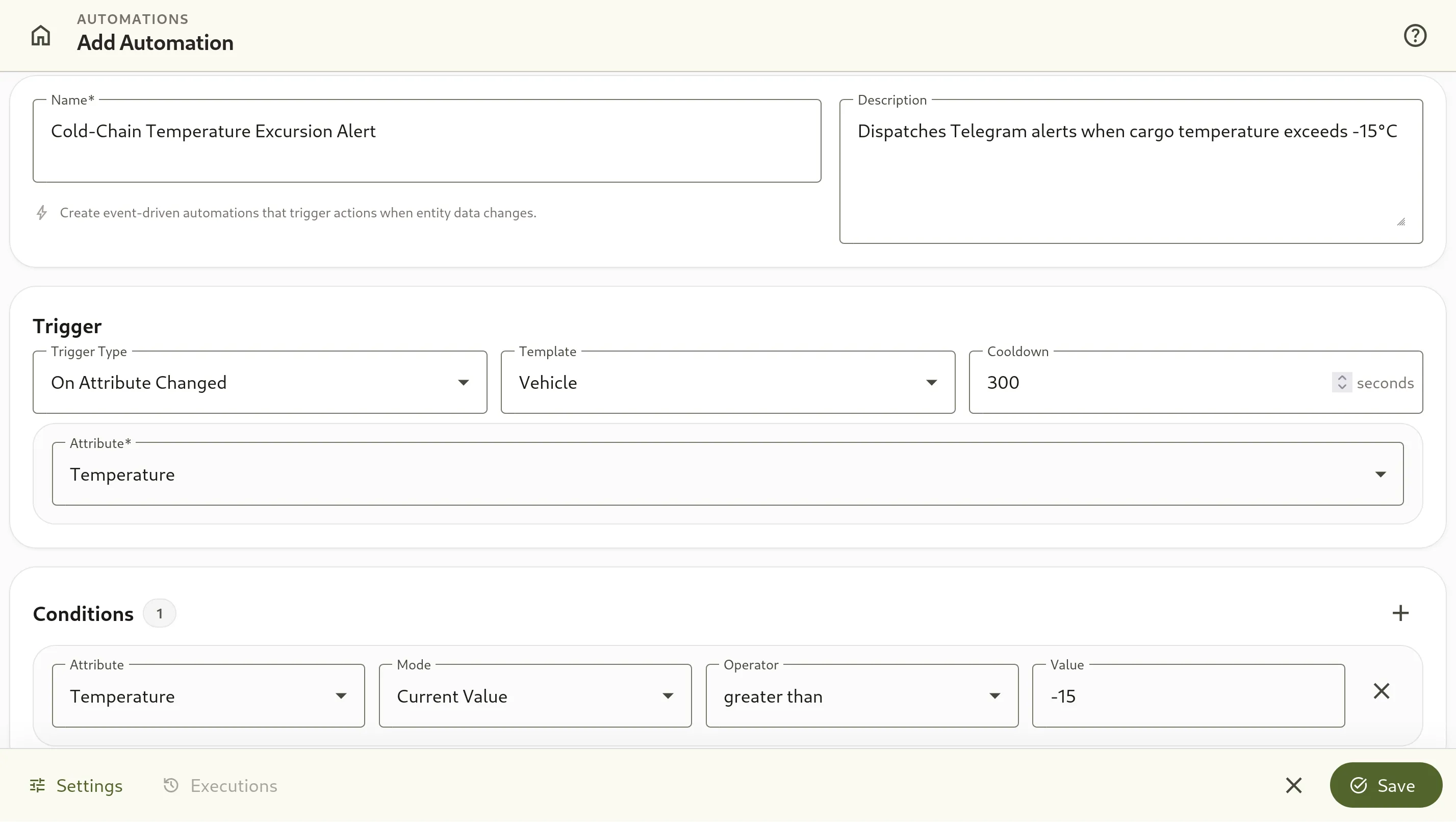
In the Omnismith administration interface, operators configure triggers and evaluation conditions step-by-step:
Following trigger definition, the UI guides operators through action selection, target notification channel binding, dynamic template placeholders, and cooldown settings:
Execution Audit and Log Evaluation
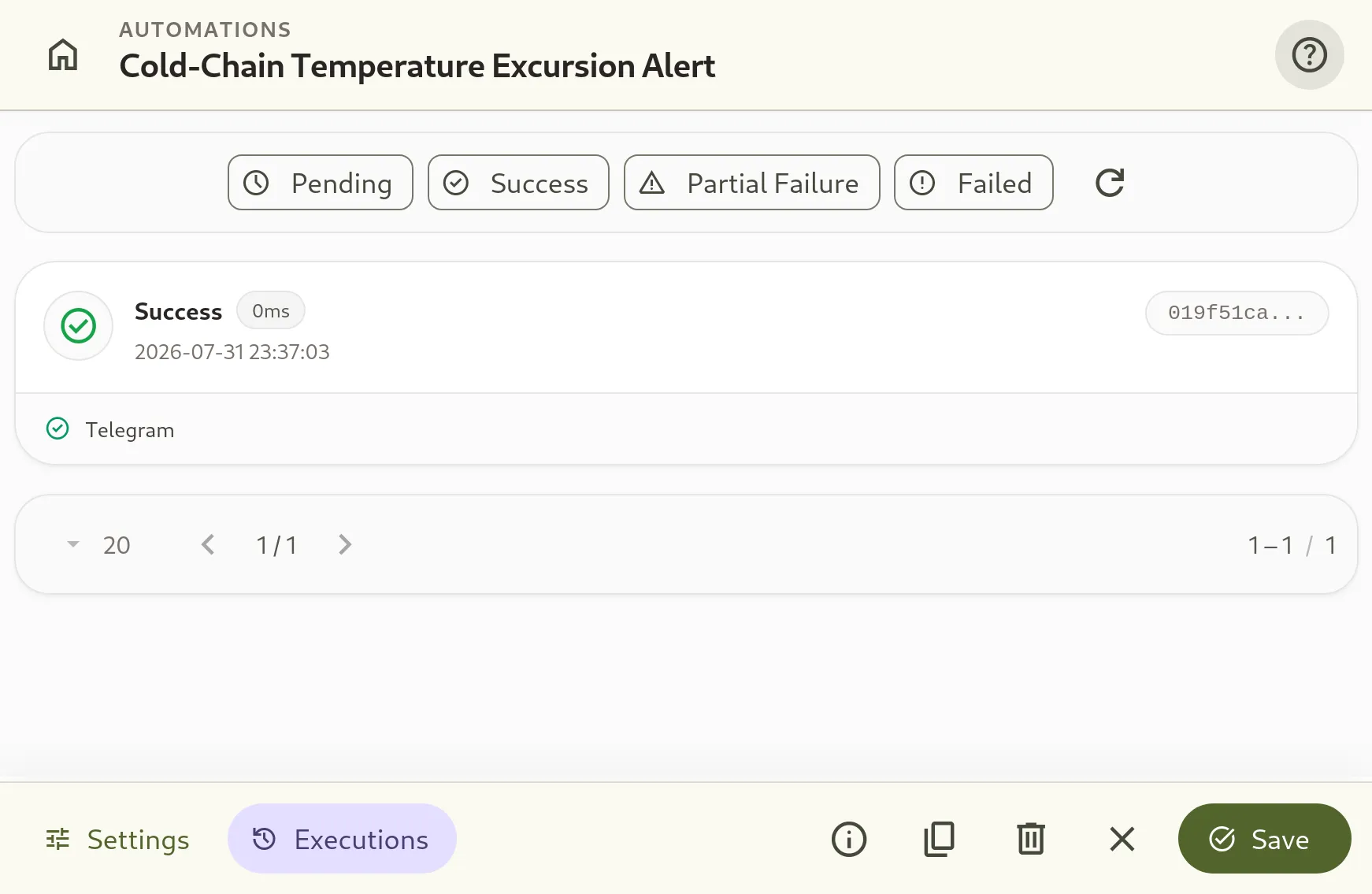
Every trigger evaluation that satisfies condition rules generates an execution record. Operators can audit execution history and troubleshoot notification delivery via the API:
GET /v1/automation/automations/019fb9d5-0679-7282-8622-50931e79dcb3/executions?limit=10 HTTP/1.1
Host: api.omnismith.io
Authorization: Bearer <token>
The response returns historical execution statuses, timestamp details, and specific action results:
{
  "data": [
    {
      "id": "019fb9e5-0bd2-7172-ab5a-45c6a4e34933",
      "automation_id": "019fb9d5-0679-7282-8622-50931e79dcb3",
      "entity_id": "019f51ca-8401-7243-910f-a22e901fb39f",
      "triggered_at": "2026-07-31T20:37:03+00:00",
      "completed_at": "2026-07-31T20:37:03+00:00",
      "status": "success",
      "action_results": [
        {
          "action_index": 0,
          "success": true,
          "error_message": null,
          "executed_at": "2026-07-31T20:37:03+00:00"
        }
      ],
      "error_message": null
    }
  ],
  "total": 1
}
Operators can also inspect execution logs, trigger statuses, and individual run details directly within the Omnismith management interface:
When an incoming sensor reading crosses the threshold line, the automation triggers and dispatches the formatted message to the target Telegram chat in real time:
If a third-party API error occurs (such as an invalid chat ID or network timeout), the execution record sets the status field to failed or partial_failure and populates the error_message attribute for diagnostic evaluation.
Architectural Performance Tradeoffs
Attaching automations directly to entity attribute changes minimizes the latency between metric ingestion and alert dispatch. However, configuring tight conditions on fluctuating metric attributes requires deliberate threshold design.
Defining narrow operational boundaries without applying appropriate cooldown durations can exhaust tier notification limits or trigger unnecessary alerts due to momentary sensor noise. Setting explicit numerical boundaries alongside calibrated cooldown intervals balances rapid anomaly detection against notification stream hygiene.
In the next entry of this series, we will expand beyond external notifications to construct complex business processes. By leveraging Webhook channels to execute requests directly back into the Omnismith API itself, we will demonstrate how state triggers can automate multi-step operational workflows and internal entity state transitions.