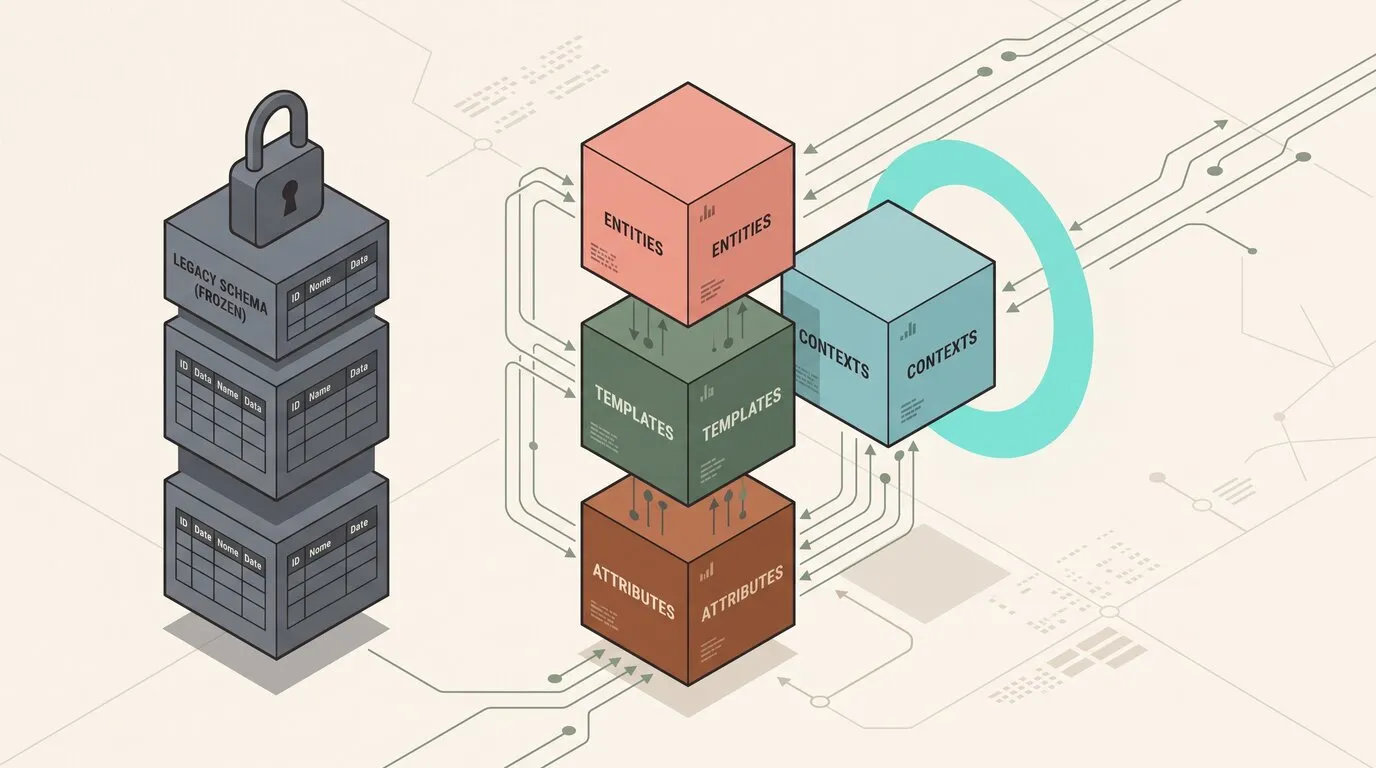
Operational platforms require structured data to track physical assets, infrastructure components, warehouse inventory, or internal corporate resources. Traditional relational databases mandate rigid schema definitions. Altering these schemas to accommodate evolving business requirements introduces migration files, coordinated application deployments, and the recurring risk of table locks and database downtime.
Conversely, unstructured document stores and schemaless databases sacrifice validation, making it easy for inconsistent data types, misspelled keys, and orphaned references to pollute the data layer.
Omnismith resolves this tension with a dynamic typed schema architecture. The domain model can be extended at runtime without altering underlying database tables, combining the agility of dynamic modeling with the structural integrity, type safety, and relational consistency required by production enterprise systems.
The Core Building Blocks
The platform structures domain modeling around three foundational building blocks: Attributes, Templates, and Entities.
1. Attributes: The Domain Vocabulary
Attributes define individual properties and enforce data types and structural constraints. Unlike generic key-value stores where every field is treated as an untyped string, Omnismith attributes declare their operational semantics through four distinct kinds:
- Dimensions: Discrete, point-in-time properties representing structural metadata—such as strings, numbers, booleans, timestamps, dates, rich markdown, and file attachments. Dimensions capture categorical facts like hostnames, serial numbers, IP addresses, or warranty expiration dates.
- Metrics: High-throughput time-series telemetry observations. Omnismith binds live metric streams directly to the entity record that emits them (e.g., CPU utilization percentages, ambient temperature readings, or battery levels), keeping operational history attached to the record it describes.
- Lists: Strictly enumerated value sets (e.g.,
["Production", "Staging", "Development"]or["Active", "Degraded", "Offline"]). Lists enforce data hygiene and prevent dirty data entry across both interactive user interfaces and automated ingestion pipelines. - References: Relational pointers that connect an entity to another entity record—either within the same template or across different templates. References turn isolated records into rich, interconnected operational graphs without requiring manual join tables or custom foreign key boilerplate.
Each attribute also supports a project-unique slug identifier (e.g., cpu_utilization, environment, assigned_host), enabling clean, human-readable references in code and automated workflows.
2. Templates: Reusable Schema Contracts
Templates act as reusable schema definitions. A template groups specific attributes to define the shape, default values, and required constraints of a business object.
For example, a template representing compute infrastructure might assemble a hostname dimension, an environment list, a cpu_utilization metric, and a reference pointing to an assigned_cluster entity. Because templates are managed as workspace configuration, teams can define and refine schemas on the fly.
3. Entities: Operational Records
Entities are the instantiated business records. Every entity belongs to a template and populates the predefined attributes with explicit values. Entities share a unified lifecycle across the platform, automatically benefiting from built-in indexing, access control, audit history, and real-time interface synchronization.
Step-by-Step: Scaffolding a Domain Model in Action
To understand how dynamic schemas work in practice, consider an operations team scaffolding an infrastructure and service monitoring domain.
Step 1: Declaring Attributes with Slugs
Attributes can be created with human-readable slugs for deterministic referencing using the POST /attributes endpoint:
curl -X POST "https://api.omnismith.io/v1/attributes" \
  -H "Authorization: Bearer $OMNI_TOKEN" \
  -H "X-Omnismith-Project-Id: $OMNI_PROJECT_ID" \
  -H "Content-Type: application/json" \
  -d '{
    "name": "CPU Utilization",
    "attribute_type": 1,
    "data_type": 1,
    "description": "Host CPU load percentage",
    "slug": "cpu_utilization"
  }'
(Note: attribute_type: 1 configures a Metric, and data_type: 1 sets numeric storage. Dimensions declare attribute_type: 0 with storage data types such as String 0, Number 1, Boolean 2, or Datetime 3.)
Step 2: Composing the Template
The team groups the required attributes into a reusable Compute Node template using POST /templates:
curl -X POST "https://api.omnismith.io/v1/templates" \
  -H "Authorization: Bearer $OMNI_TOKEN" \
  -H "X-Omnismith-Project-Id: $OMNI_PROJECT_ID" \
  -H "Content-Type: application/json" \
  -d '{
    "name": "Compute Node",
    "slug": "compute_node",
    "category": "Infrastructure",
    "attribute_slugs": [
      "hostname",
      "environment",
      "cpu_utilization"
    ]
  }'
(Note: When a template requires custom per-attribute default values, replace the flat attribute_slugs array with the structured attributes array: e.g., [{"attribute_slug": "cpu_utilization", "default_value": "0.0"}].)
Step 3: Connecting Domains via Reference Attributes
Business entities rarely exist in silos. To model microservices running across these hosts, the team creates a Service Instance template with a Reference attribute pointing directly to the target compute_node template:
curl -X POST "https://api.omnismith.io/v1/attributes" \
  -H "Authorization: Bearer $OMNI_TOKEN" \
  -H "X-Omnismith-Project-Id: $OMNI_PROJECT_ID" \
  -H "Content-Type: application/json" \
  -d '{
    "name": "Assigned Host",
    "attribute_type": 3,
    "data_type": 0,
    "description": "Underlying compute node hosting this service instance",
    "slug": "assigned_host",
    "reference_config": {
      "target_template_id": "018b2f1b-8c1a-75b3-8000-7f0000010010",
      "target_attribute_id": "018b2f1b-8c1a-75b3-8000-7f0000010000"
    }
  }'
Configuring reference_config establishes relational integrity between templates without manual join tables or custom foreign key migrations.
Step 4: Instantiating and Hydrating Entities
Records can be instantiated immediately via POST /entities/template/{template_slug} using the declared slugs, completely bypassing the need to look up internal UUIDs beforehand:
curl -X POST "https://api.omnismith.io/v1/entities/template/compute_node" \
  -H "Authorization: Bearer $OMNI_TOKEN" \
  -H "X-Omnismith-Project-Id: $OMNI_PROJECT_ID" \
  -H "Content-Type: application/json" \
  -d '{
    "attributes": {
      "hostname": "node-us-east-01",
      "cpu_utilization": 42.8
    }
  }'
Solving the Dynamic Schema Performance Tradeoff
Dynamic schema architectures carry a reputation for weaker query performance than fixed relational tables: retrieving a single record can require several joins, and querying across custom attributes can degrade into slow, unindexed scans.
Omnismith addresses this tradeoff through specialized data architecture:
- Sub-Millisecond Indexed Search: Fast global search and filtering across dynamic attributes and entity records, ensuring responsive queries even as datasets grow.
- Unified Entity Query Interface: The entity search endpoint (
POST /v1/entities/search/{template_id}) accepts a template UUID or slug and exposes an expressive query dialect: exact match (eq,neq), comparison (gt,lt,between), set membership (in,not-in), pattern matching (like,not-like), presence checks (empty,not-empty), OR-ed filter groups, and one-hop paths through references (customer.tier) across any dynamic attribute:
curl -X POST "https://api.omnismith.io/v1/entities/search/compute_node?limit=50&offset=0&sort_field=hostname&sort_direction=asc" \
  -H "Authorization: Bearer $OMNI_TOKEN" \
  -H "X-Omnismith-Project-Id: $OMNI_PROJECT_ID" \
  -H "Content-Type: application/json" \
  -d '{
    "filter_groups": [
      [
        {
          "field": "environment",
          "operator": "eq",
          "value": "Production"
        },
        {
          "field": "cpu_utilization",
          "operator": "gt",
          "value": "80"
        }
      ]
    ],
    "fields": ["hostname", "environment", "cpu_utilization"]
}'- High-Throughput Time-Series Engine: Operational metrics attached to entities are stored in an optimized time-series engine, enabling fast aggregations, range queries, and dashboard chart rendering alongside static dimensions.
- Compiled Filtering & Selective Projection: The optional
fieldsarray allows clients to project only the attributes they require, skipping hydration of unneeded fields and returning lean payloads with minimal execution latency. - Compact Slug-Keyed Records: Each matched record’s
attribute_valuesis a plain object mapping attribute slug to display value ({"hostname": "web-prod-03", "environment": "Production", "cpu_utilization": "84.2"}), with the ids behind list, reference and file labels alongside inlist_item_ids,reference_entity_idsandfile_idsfor follow-up writes and filters. Pass"verbose": trueto receive an array of items carrying the attributeid,slug, rawvalueand resolved label instead.
Runtime Schema Evolution Without Migration Friction
The true power of this architecture becomes evident when business requirements inevitably change.
The Traditional Dilemma: Schema Migrations
In traditional relational applications, adding a new field or introducing a new relationship triggers a costly engineering workflow:
- Write a database migration script (
ALTER TABLE). - Coordinate deployment schedules across application servers.
- Lock tables or navigate online schema migration tools on large production databases.
- Manage backward compatibility during rolling deployments.
- Coordinate rollbacks if unexpected lock contention or schema mismatches occur.
In fast-moving operational environments, this friction discourages teams from improving their data models.
Omnismith’s Zero-Downtime Evolution
Because Omnismith models structure as workspace data:
- Instant Schema Expansion: Adding a new attribute to a template takes effect immediately across the platform at runtime.
- Zero Database Downtime: No database locks, table rewrites, or application restarts are required.
- Non-Destructive Adjustments: Existing entities seamlessly adopt new attributes, applying designated default values or remaining null until populated. Downstream API integrations continue operating without disruption.
- Append-Only Audit Ledger: Every attribute change—and every schema alteration—is permanently recorded in an immutable audit trail with actor attribution and timestamps, providing enterprise-grade compliance and change traceability out of the box.
From Schemas to Operational Workbenches
A data model in isolation does not solve an operator’s daily problems. In conventional software projects, defining a schema is only the first step; teams must then build custom admin dashboards, write CRUD forms, and configure access permissions.
Omnismith bridges this gap by automatically plugging scaffolded templates into configurable operational workbenches:
- Workspaces: Teams organize related business domains into dedicated workspaces (e.g., Cloud Infrastructure, Fleet Management, or Compliance & Governance).
- Workspace Views: Within each workspace, operators configure tailored lenses (table views or card grids) with saved filters, custom sorting, and specific column configurations (e.g., “Production Nodes Exceeding 80% CPU” or “Unassigned Service Instances”).
- Real-Time UI Synchronization: Collaborative state updates push live changes across connected user interfaces, keeping distributed teams synchronized.
- Role-Based Access Control: Permissions scope view and edit capabilities cleanly per project and workspace, ensuring sensitive operational records remain protected.
Multi-Modal Scaffolding: Visual Studio, API, and AI Tooling
Teams can scaffold and manage their domain models through three complementary interaction modes:
- Interactive Visual Studio: Domain experts, product managers, and operations leads can define attributes, compose templates, and build views directly through the graphical user interface.
- Deterministic REST API: Developers and DevOps engineers can automate schema provisioning and data ingestion using project-scoped slugs in CI/CD pipelines and infrastructure-as-code scripts.
- AI Assistant via Model Context Protocol (MCP): Users can scaffold complete domain models using natural language. The AI Assistant coordinates composite tools like
scaffold_data_modelvia MCP to generate templates, attributes, choice pills, and UI layout groups in a single atomic operation:
{
  "templateName": "Compute Node",
  "templateSlug": "compute_node",
  "templateCategory": "Infrastructure",
  "attributes": [
    {
      "name": "Hostname",
      "type": "text",
      "slug": "hostname"
    },
    {
      "name": "Environment",
      "type": "list",
      "slug": "environment",
      "listOptions": ["Production", "Staging", "Development"]
    },
    {
      "name": "CPU Utilization",
      "type": "metric",
      "slug": "cpu_utilization"
    }
  ]
}
Conclusion
Operational agility requires systems that can adapt as quickly as the business itself. Traditional databases force teams to choose between the safety of rigid schemas and the agility of unstructured stores.
By combining dynamic runtime schemas with first-class time-series metrics, relationship references, automated audit logs, and instant operational views, Omnismith eliminates the migration bottleneck. Teams can scaffold business domain models in minutes, evolve them safely at runtime, and spend that time on operational outcomes.